A lot of clients have been asking us about this. Meta just launched something that could change how Malaysian businesses handle WhatsApp enquiries completely — and a lot of the coverage online is either overselling it or missing the important details.
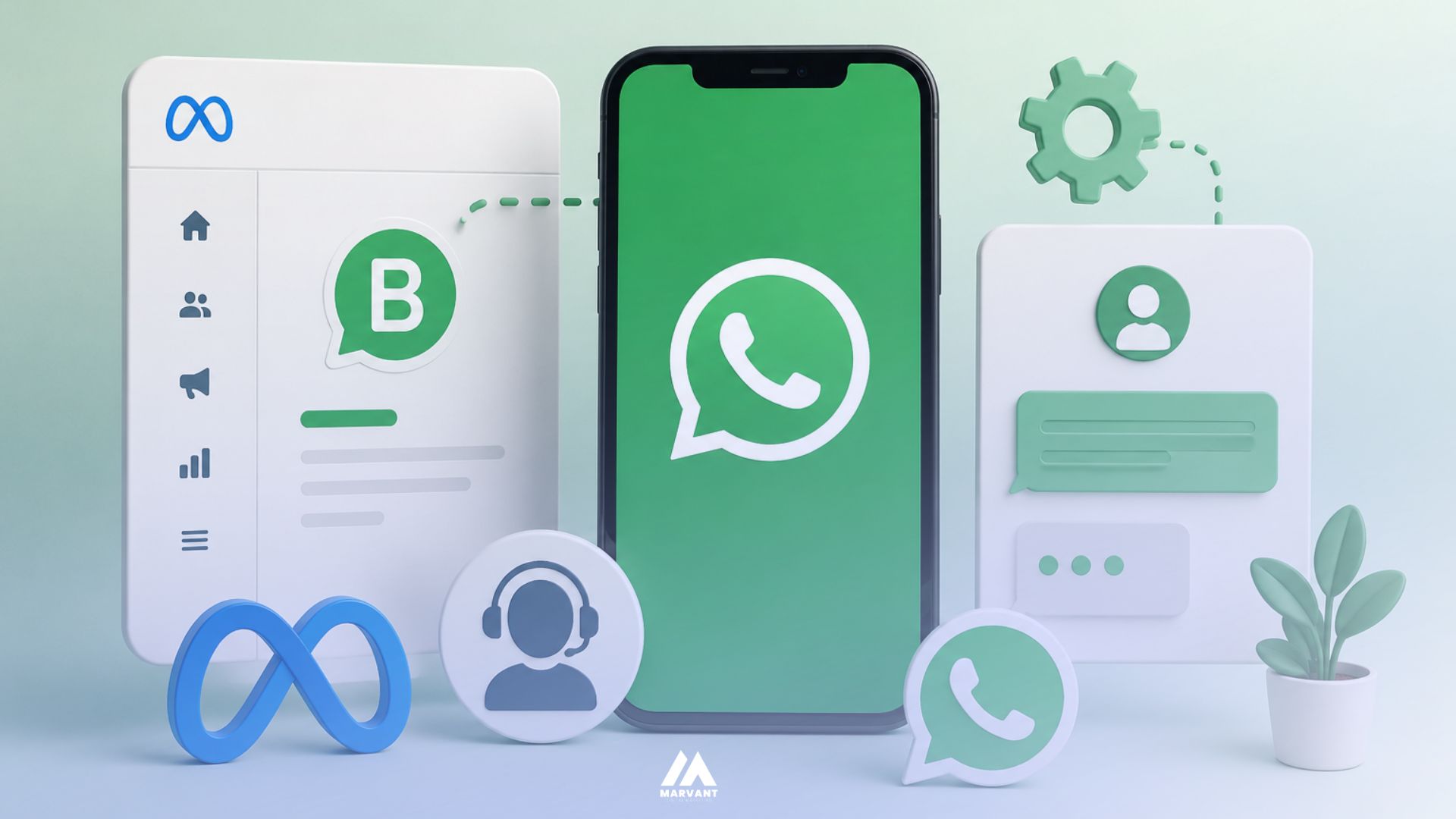
It is called Meta Business Agent. It is an AI built directly into WhatsApp, Instagram, and Messenger that replies to your customers automatically — 24 hours a day, without anyone on your team needing to type a single response. Meta announced it on June 3, 2026, at its annual Conversations conference in London. It is not a third-party chatbot tool you plug in. Meta built it directly into the WhatsApp Business app.
What Is Meta Business Agent?
Any business can open the WhatsApp Business app, go to Tools, tap Meta Business Agent, and have an AI responding to customers within minutes. No developer, no separate software subscription, no custom integration required to get started.
Meta CEO Mark Zuckerberg framed it at the London event: "As our models advance, your agent will take on more and eventually help you run your whole business." The word "eventually" is doing real work in that sentence — and we will come back to it.
The rollout follows nearly two years of testing across India, Mexico, and Brazil. Over one million businesses were already using earlier versions before the global launch, with more than one billion active threads between businesses and customers happening every day across WhatsApp, Messenger, and Instagram.
What Meta Business Agent Can Actually Do
Here is the verified capability list — what Meta's own documentation confirms, not what the headlines are claiming:
| Capability | What It Means for Malaysian Businesses |
|---|---|
| Answer inbound questions | Replies using knowledge you provide — your FAQ, product list, service details, business hours |
| Recommend products | Suggests items directly from your WhatsApp Business catalogue |
| Qualify leads | Asks budget, location, property type, timeline — before passing to your sales team |
| Book appointments | Schedules consultations or showroom visits inside the conversation |
| Reply in local language | Responds in the customer's language automatically — Malay, Mandarin, English |
| Match your brand tone | Trained to sound like your business, not a generic bot |
| Handle peak volume | Manages multiple conversations simultaneously during campaigns or promotions |
| Provide overnight coverage | Replies at 11pm so no lead goes cold until morning |
| Escalate to human | Hands off when the conversation hits a threshold you define |
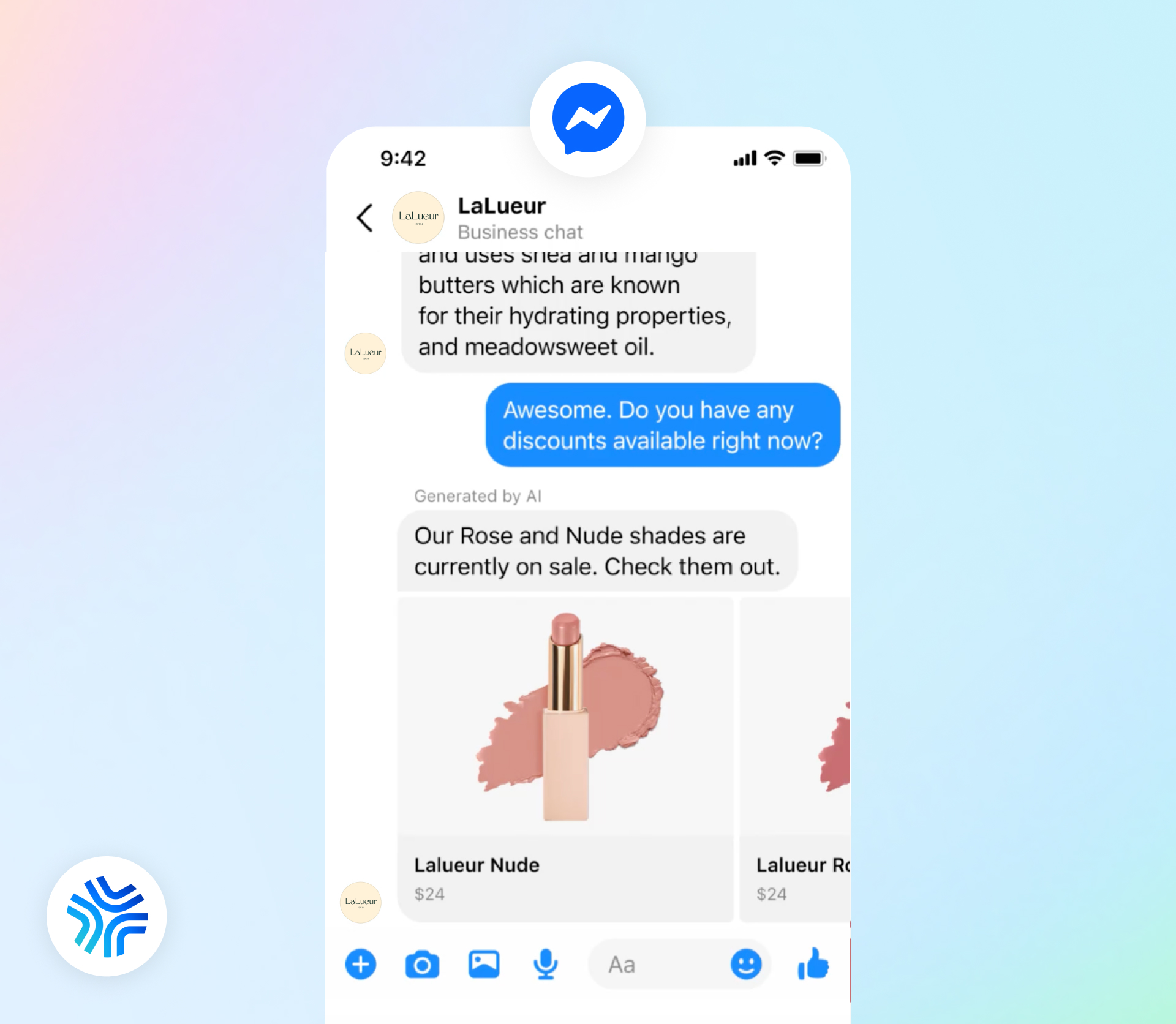
Messenger
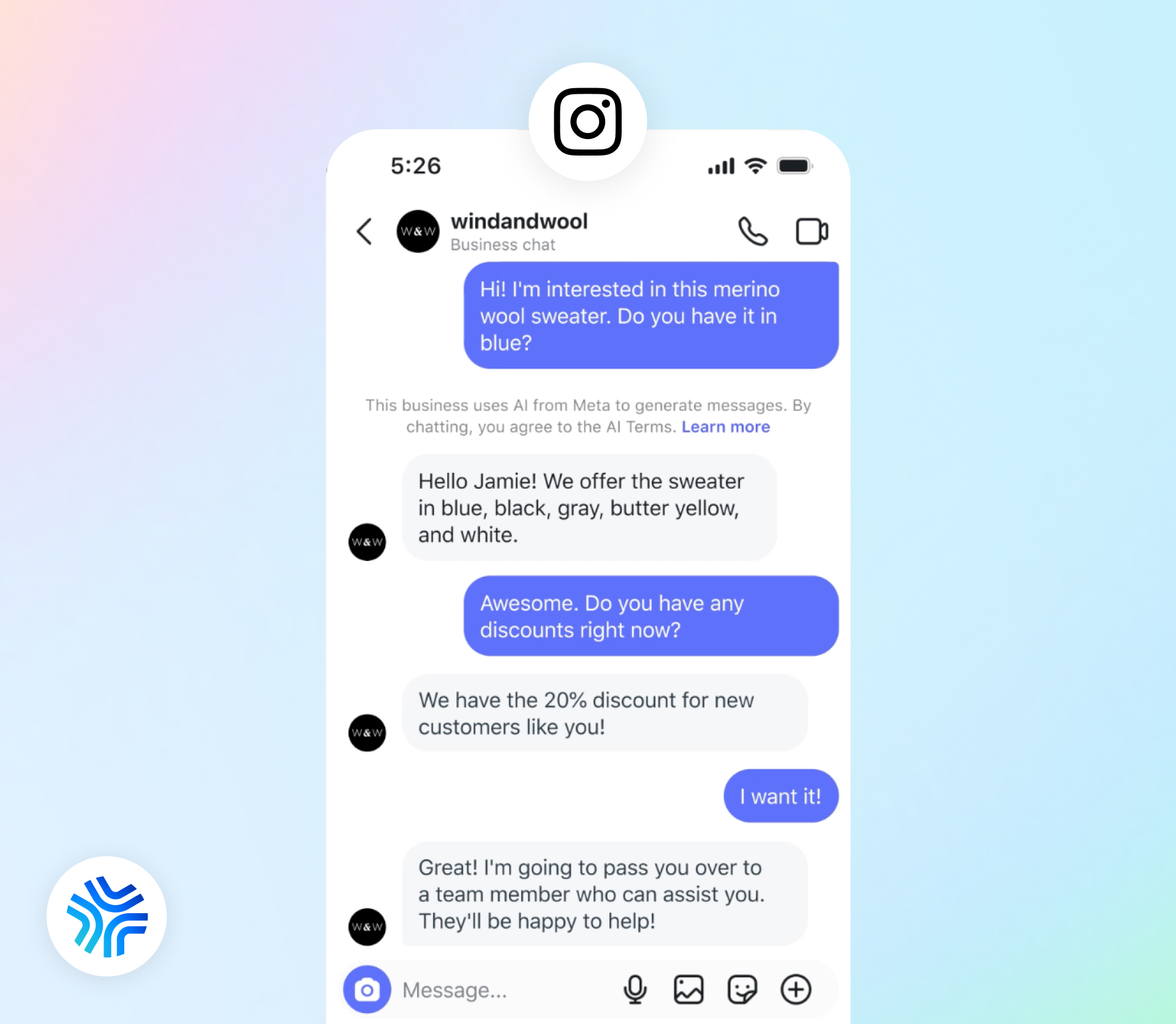
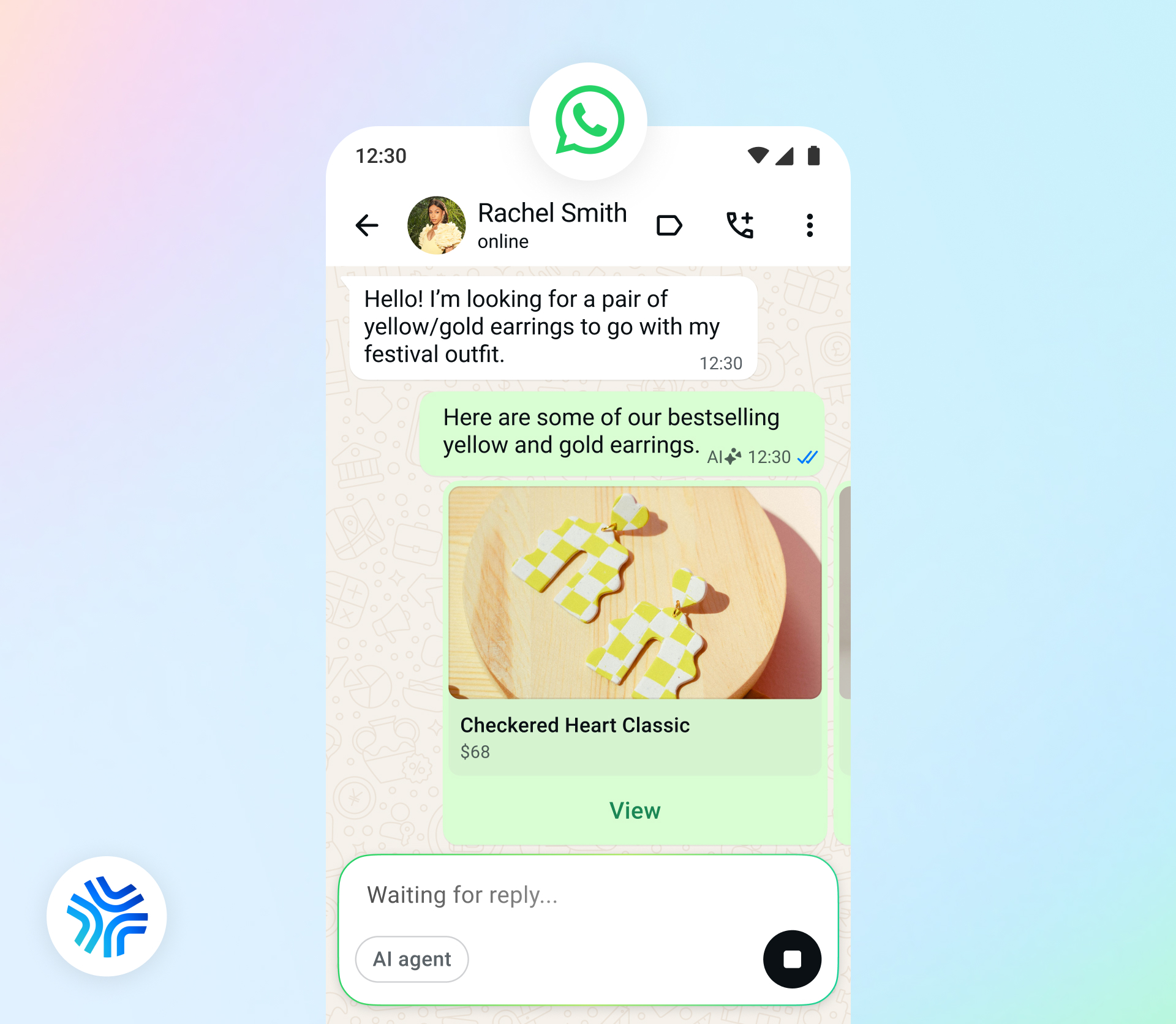
Because the agent handles conversations while you sleep, Meta built a companion feature that delivers a morning summary of overnight chats, missed threads, and insights from message patterns. This is currently being tested with a select number of accounts on WhatsApp Business app, Instagram Pro, Messenger, and Meta Business Suite. A waitlist is open.
The One Rule Every Business Must Know
Since January 15, 2026, Meta enforces a rule that applies to all AI agents on WhatsApp: they must be task-specific, not general-purpose.
A support agent handling return requests: allowed. A booking assistant for a restaurant: allowed. A product consultation bot for a furniture retailer: allowed. An open-ended AI chatbot without a defined business purpose: not allowed. Meta can pull your number's access for non-compliance, and the enforcement is real.
When you set up Meta Business Agent, you are building a focused agent for a specific business function — not a general AI assistant that answers anything. The more clearly you define that function in training, the better it performs and the more compliant it stays.
How to Set Up Meta Business Agent
Setup takes under ten minutes for a business with an existing catalogue and saved FAQs. For a business starting from scratch, expect 30 to 45 minutes to write and upload the knowledge sources the agent will learn from.
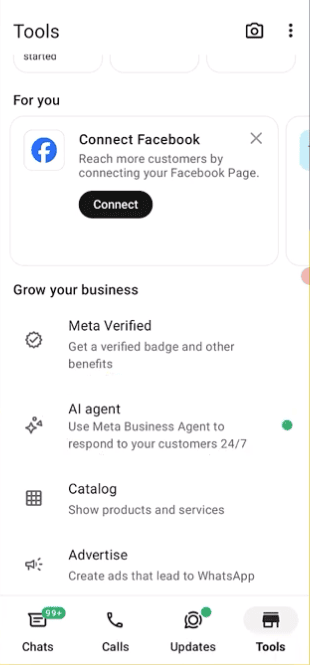
Find AI Agents under the Tools tab
Open your WhatsApp Business app and go to the Tools tab. You will see AI Agents listed as a feature. Tap it to get started. If you do not see it yet, the feature is still rolling out — it will appear soon.
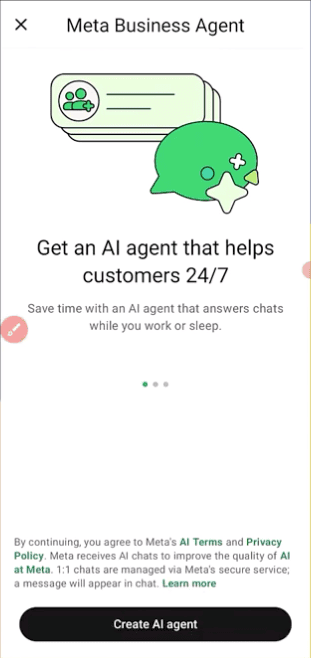
Tap Create AI Agent
You will be prompted to create your AI Agent. This is where you begin the setup process. Tap Create AI Agent to proceed.
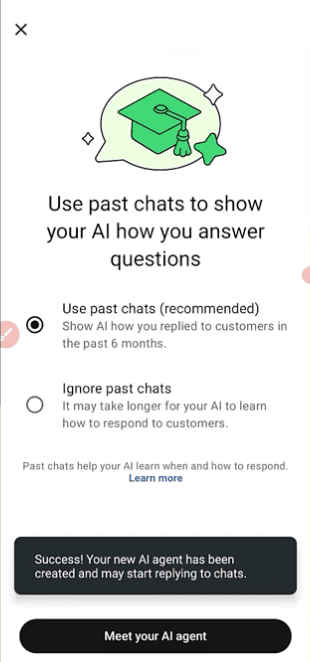
Choose whether to use past chats
Meta gives you the option to let the AI Agent learn from your past WhatsApp conversations, or to start fresh and ignore past chats. If you have existing conversations with clear, accurate replies, using past chats helps the agent learn your tone and common questions faster. If your past chats are mixed or inconsistent, start fresh and feed the agent through the knowledge base instead.
Set up your AI Agent — name, personality, and handoff rules
This is where you configure how the agent presents itself and behaves. Give it a name, set the tone and language (English, Malay, Mandarin, or a mix for Malaysian businesses), and define your handoff rules — which topics should immediately escalate to a human. For renovation and interior design brands, any mention of budget, site visit, or project scope should trigger a handoff.
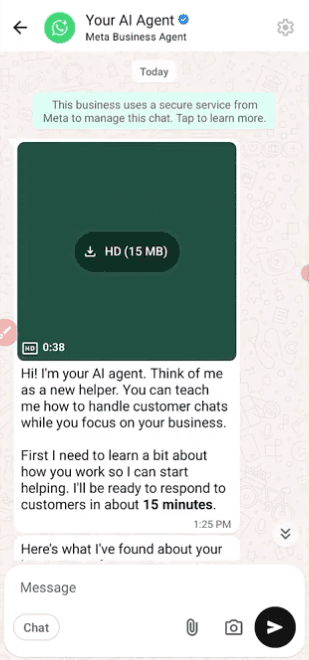
Set your Knowledge Base
This is the most important step. Upload your FAQ document, product catalogue, business hours, service areas, and pricing information. The agent can only answer what you give it — weak input produces weak replies. Test with real customer messages before going live, including short messages like "Hi," "Price?" and typos. A weak reply in testing is a signal to improve your knowledge base, not the prompt.
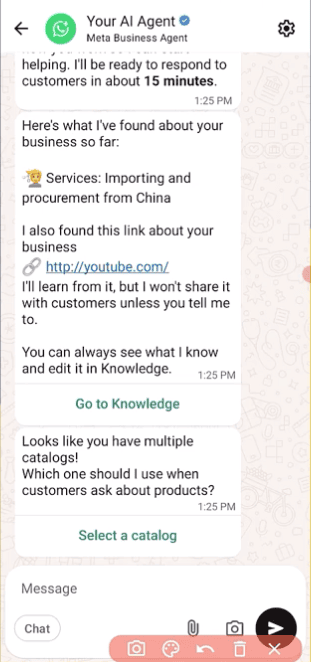
What Meta Business Agent Cannot Do — The Limits That Matter
This is the part most coverage is leaving out. Meta Business Agent vs WhatsApp Business API is not a competition — it is a scale decision. But you need to understand where the free version stops before deciding if it is enough for your business.
1Broadcast cap stays at 256 contacts
The free Meta Business Agent runs inside the WhatsApp Business App. That app still caps broadcast lists at 256 contacts, and only reaches users who have your number saved in their phone. If they have not saved it, the message does not arrive — and the app still shows it as sent.
A business wanting to send a Raya sale announcement or a product restock alert to 5,000 opted-in customers cannot do that through Meta Business Agent. That requires the WhatsApp Business API.
2No CRM integration at the free tier
Every conversation Meta Business Agent handles lives inside WhatsApp. It does not sync with HubSpot, Salesforce, Zoho, or any external system at the free level. The moment a business needs to see WhatsApp conversation history inside their CRM, or pull CRM data into a conversation, they need the API.
3No outbound campaign control
Meta Business Agent responds to inbound messages. It cannot initiate a marketing campaign, send a scheduled drip sequence, push a flash sale broadcast, or follow up with a lead at a time the business chooses. Outbound messaging at scale is an API-only capability.
4Team support hits a wall
The WhatsApp Business app supports 1 primary phone plus up to 4 linked devices — 5 total. Meta Verified raises the linked-device cap to 11. But every linked device sees every conversation. There is no way to assign chats, route them, or see who replied to what.
The WhatsApp Business API removes the device model entirely — supporting unlimited agents with a shared team inbox, routing, and full conversation visibility.
Pricing — What It Will Cost
| Timeline | What Changes | Cost |
|---|---|---|
| Now | Self-serve Meta Business Agent — free to start | Free |
| August 1, 2026 | Enterprise Meta Business Agent Platform charged per token | ~$2.00 per million tokens (approx. $0.04–$0.05 per conversation) |
| October 1, 2026 | Free customer service replies inside 24-hour window start being charged | Exact rates to be published by September 1, 2026 |
| Coming months | WhatsApp Business Premium subscription tiers for small businesses | Not yet published |
Some entry points give a 72-hour free message window after a customer starts a conversation from a click-to-WhatsApp ad or Facebook Page button. If you are running Meta Ads with WhatsApp as the conversion endpoint, your first 72 hours of agent replies after an ad click may remain free even after pricing changes kick in. Watch for Meta's official October rate announcement.
Should Malaysian Businesses Use It?
Meta Business Agent is genuinely excellent for one specific type of business: one that receives inbound customer questions constantly, has a product catalogue or service list, and is currently handling all of it manually.
| Business Type | Verdict | Best Use |
|---|---|---|
| F&B (café, restaurant, bakery) | ✓ Start now | Hours, menu, reservations, delivery areas — high volume, repetitive queries |
| E-commerce / retail | ✓ Start now | Stock, sizing, shipping, returns, order tracking |
| Home decor / furniture retail | ✓ Worth testing | Product info, showroom hours, catalogue — handoff for custom orders |
| Cabinet / renovation contractor | → Use carefully | Initial qualification (budget, property type, timeline) before human handoff — agent should never quote or negotiate |
| Interior design firm | → Use carefully | First-touch response and portfolio sharing — serious conversations to human fast |
| B2B / professional services | → Pilot first | FAQ replies only — high-value relationships need human touch from the first message |
For renovation, cabinet, and interior design brands in Malaysia, the agent works best as a first-responder that never sleeps. It acknowledges the enquiry, asks two or three qualifying questions, and hands off to your sales team with context already gathered.
What it should never do: quote prices, commit to timelines, discuss discounts, or handle complaints. Set your handoff rules tightly and your team will arrive to every conversation already knowing the lead is qualified.
How This Fits Into a Full AI Marketing System
Meta Business Agent is a strong first layer — but it works best as part of a broader connected system. At Marvant, we build AI-powered marketing workflows that connect multiple automation layers together:
- Meta Ads → WhatsApp — click-to-WhatsApp ads bring the lead into the conversation
- Business Agent — AI responds immediately, qualifies the lead, gathers context
- Handoff to CRM — qualified lead details automatically logged and tagged via n8n workflow automation
- Follow-up sequence — automation triggers a follow-up message if the lead goes quiet after 24 hours
- Human sales team — picks up with context already in hand, no cold starts
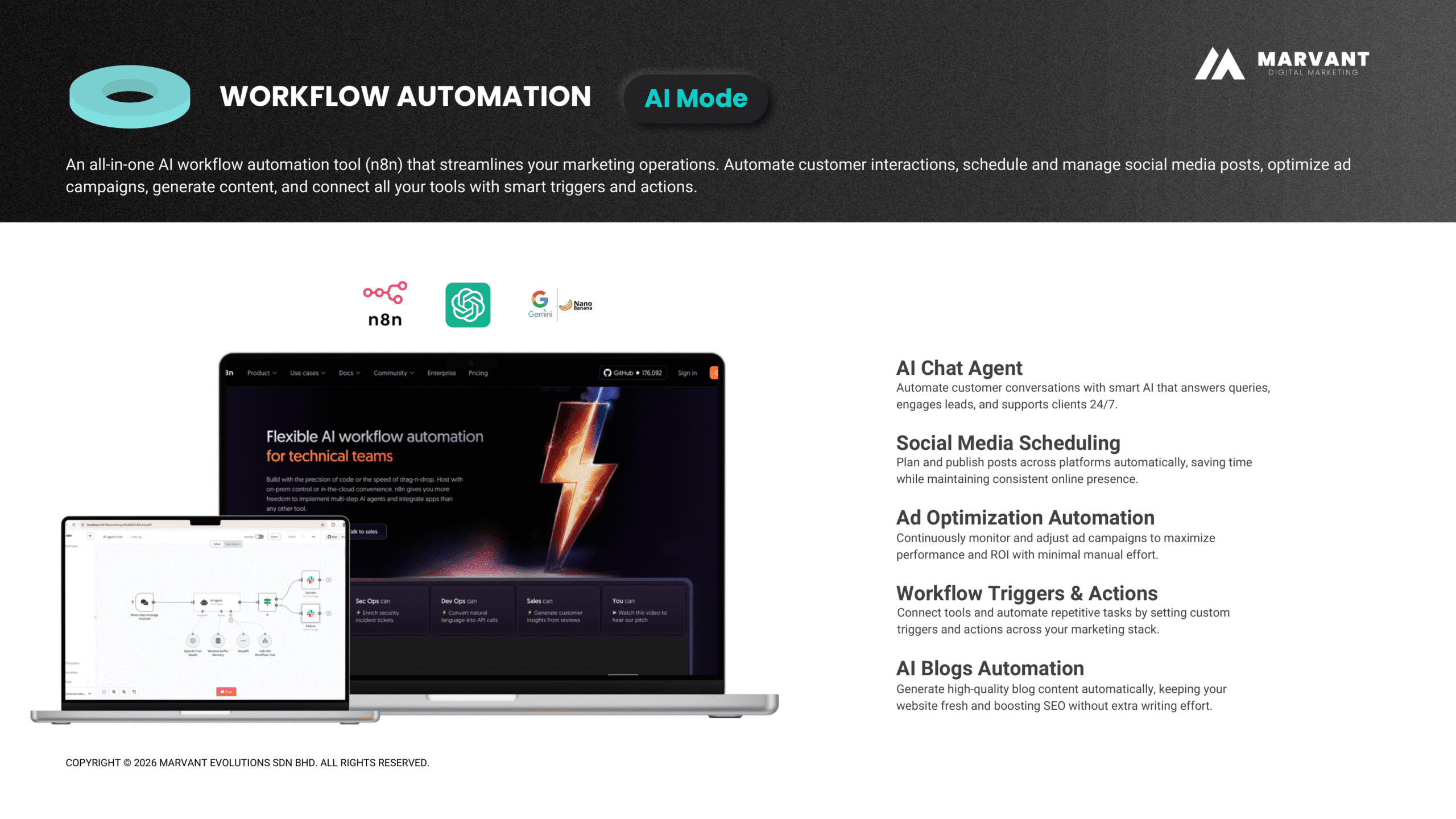
This kind of end-to-end system is what separates a business that converts leads consistently from one that loses them in the gap between ad click and first human reply. Read more about how Marvant approaches AI-powered performance marketing for Malaysian businesses.
Final Thoughts
Meta Business Agent is the most significant WhatsApp update for Malaysian businesses in years. For the first time, an AI that handles customer conversations is built directly into the platform — no third-party setup, no complex API integrations for basic use.
The vast majority of businesses that will adopt Meta Business Agent this year were never going to pay for API access. They are the 200 million small businesses on WhatsApp who were previously answering every message manually or not answering at all. Business Agent solves their problem well.
But the businesses that are already past that stage — or that can see they will be past it within the next 12 months — are not choosing between Business Agent and the API. They are looking at the API as the foundation and asking what sits on top of it. For teams, campaigns, and CRM-connected conversations at scale, the WhatsApp Business API is the infrastructure to build on.
The agent is not a replacement for good marketing or a good sales team. But for Malaysian businesses losing leads to slow WhatsApp response times — especially overnight, on weekends, or during campaign peaks — Meta Business Agent is one of the most practical tools Meta has ever released for SMEs.
Frequently Asked Questions
Want to Build a Full AI Marketing System Around Your WhatsApp?
Marvant connects Meta Business Agent with your ads, CRM, and follow-up automation — so no lead goes cold between the first message and your sales team's first reply.